I forgot to post this review at the time. Oops. Posting it now to get it out of my drafts bin.
You can play either Red Alert or Tiberian Dawn multiplayer in CnC Remastered and one of the most interesting parts is just how much better Red Alert’s multiplayer is. The most obvious difference is that the maps are much larger, so you’re not micro-managing your base layout to avoid running out of room or blocking your harvesters. The Harvester AI also benefits from more room to move around. Gems mixed in gold fields add an extra micro element for people who want to mine more efficiently. And boy are those harvesters dumb. One of Starcraft’s best innovations was the hack of just letting harvesters ignore collisions.
Silly harvesters aside, it’s shocking how well Red Alert holds up, especially to a group of players now seasoned by 8 Bit Armies, Red Alert 2, Grey Goo, and Starcraft II. It helps that with huge screen resolutions available now, you can have just absurd numbers of units on screen without lag. You can blanket the map in tanks. The grittyness of Westwood’s RTS is on full display; a good tank micro will turn a column of infantry into a large puddle. Infantry will go to ground when fired upon. Moving units appear to be able to dodge some shots. Tesla coils appear to have glorious procedural lightning. While you can probably win with math (like any RTS) it at least feels like there’s an element of micro and an element of chance in there. Luck combines well with Light tanks, as it happens.
The music though, what about the music? As someone who’s been listening to the CnC and RA tracks since the mid 00s I can say confidently that the music is absolutely amazing. The cover versions, the remastered versions, they’re both awesome. I have this vivid memory of sharing music back in ’10 or ’11 and showing someone Bigfoot. The bitcrushed quality didn’t bother me, but others couldn’t see past it. That problem is a thing of the past. I forsee blasting these versions for far longer than I will be playing the game. Klepacki has done it again.
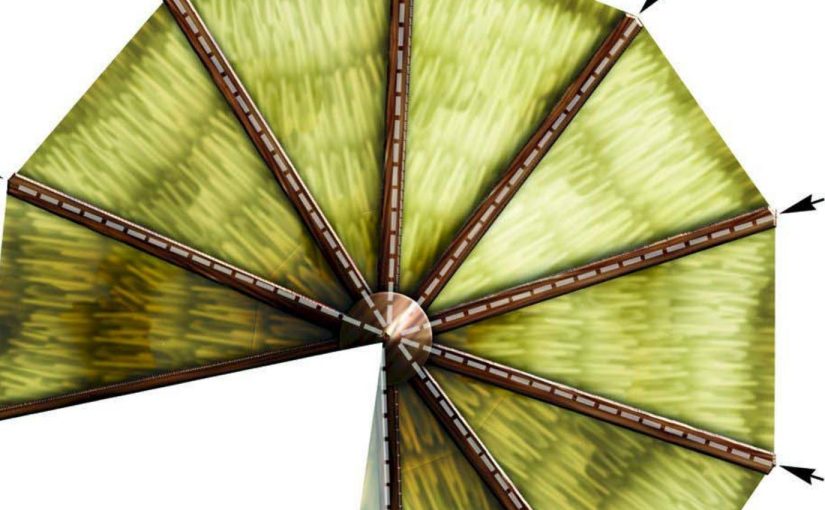
Someone was asking for papercraft RPG/tabletop terrain, and I of course flashed back to a publication called the “Map Folio 3D” from the DnD 3.5 era. Papercraft DnD-scaled buildings on cardstock. I’ve unfortunately long since ditched the structures, but Wizards uploaded them as PDFs back in ’04 (and why shouldn’t they have; they were selling books after all, not papercraft hobby supplies.)
I was able to dredge a few out of the archive before it started going down (again, apparently) today (see edit below), and I’ll present them here. You may have better luck, I’ll update this if the archive ever comes back up (and, more than likely, move the whole collection there or to some other more appropriate hosting.)
Seeing them again is quite nostalgic. They have the same hard to describe texture feel that other DnD 3/3.5 era maps had. Early digital photorealistic illustration… core?
Edit: The Wayback Machine was running again, I got the rest
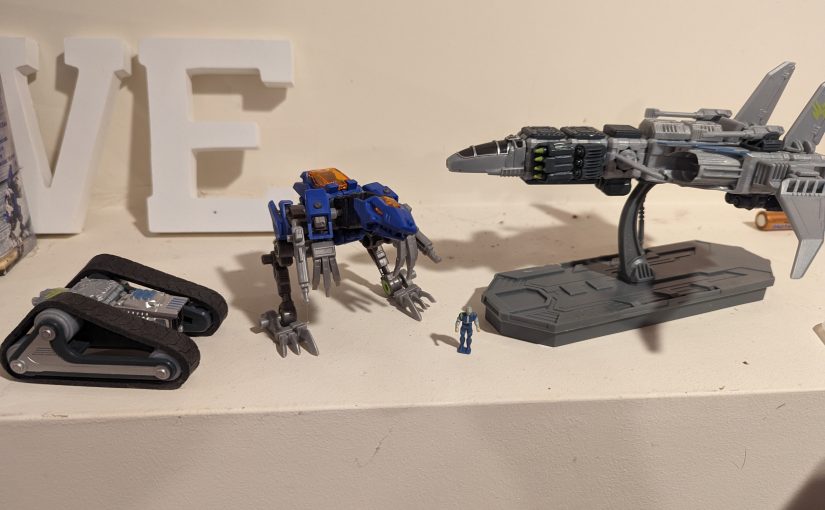
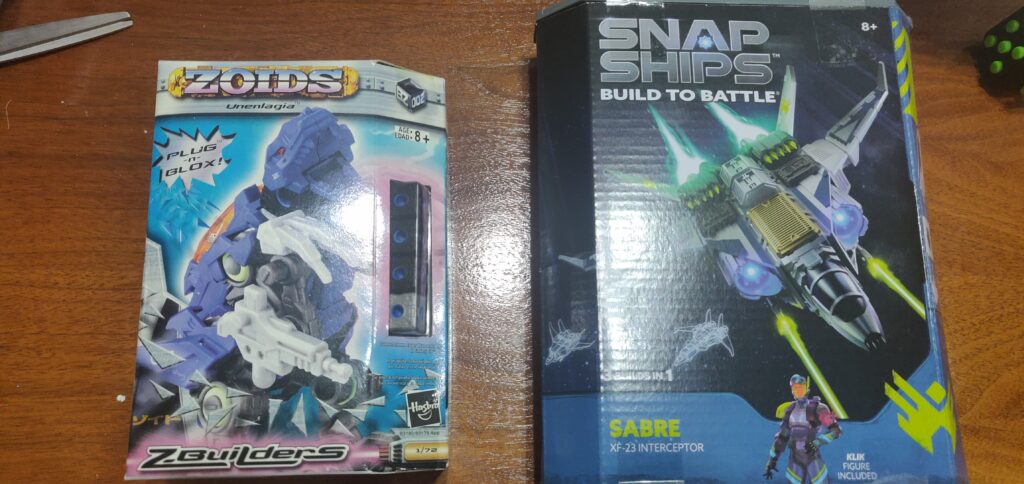
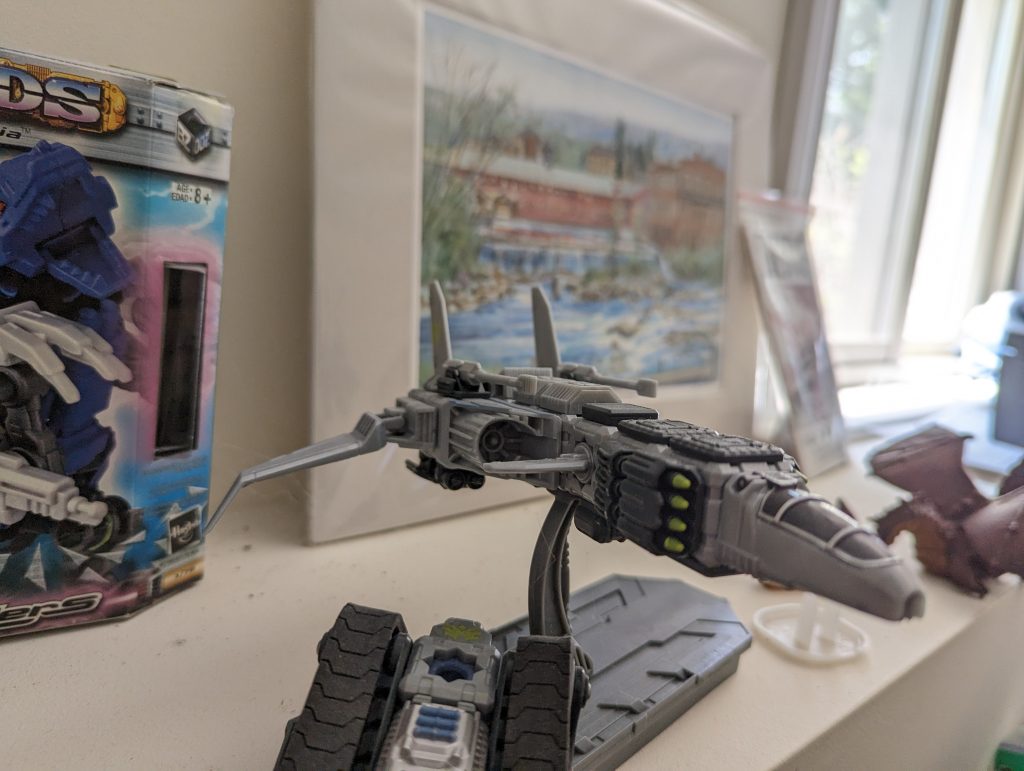
A long time ago, I got my hands on Zoids Z Builders (aka Blox) and thought they were pretty cool, but didn’t really chase it further. As I sometimes do, I wondered if there was a modern equivalent, so I looked for ‘scifi robot cube building toys’ and found SnapShips. Over a decade after the debut of Z builders, it’s worth comparing these cube-and-greeble 1/72 scifi building toys of past and present.
Z Builders
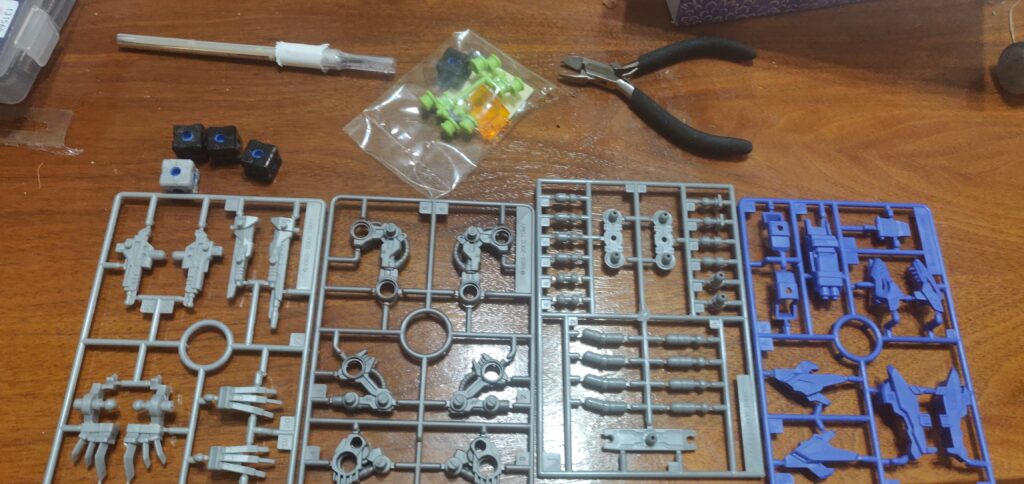
Sprues!
The first thing you notice about the Zoids model is just how much of a capital ‘M’ Model Kit it is. Previous Zoids figures where less toy like-they where a little more like something you’d see from Tamaya or Airfix, though they contained motorized play elements. Z builders adds freely moving joints/possibility and a building system instead of a windup mechanism, but you are still looking at sprues when you first open the box, and decals when you finish the build. Like some Gunpla kits, the sprues are made of different colored plastic so no paint is required for a half decent paintjob.
Feel human, use tools
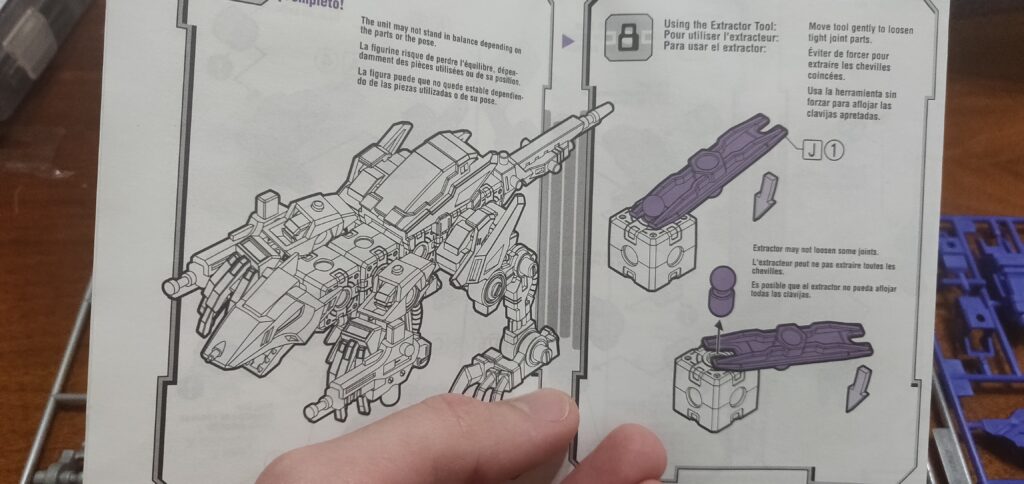
One interesting similarity between ZBuilders and SnapShips is that they both include a small tool for disassembly. SnapShips include a spudger, and Zoids ships with an ‘extractor tool.’
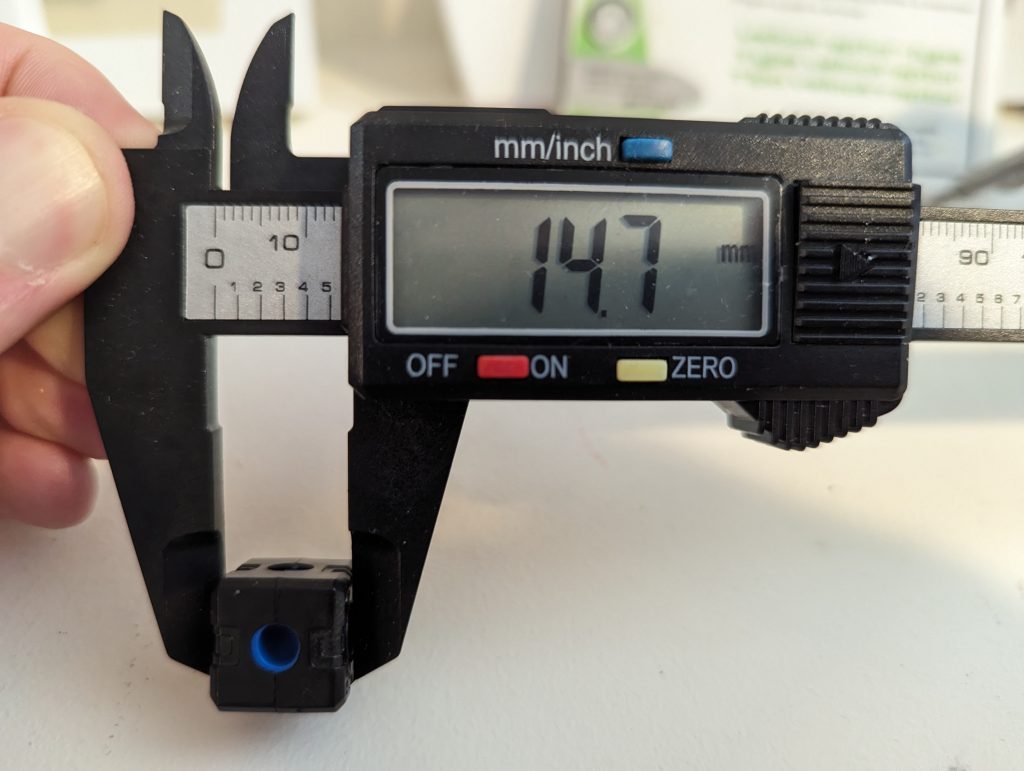
Zoids ‘blox’ elements are 14.7mm, and no rounder in inches.
The stickers are a pain. There is no guide so you have to sort of look at the box and figure out where they go, (again) more like a traditional scale model. They are in a grid and the squares are much larger than the places you need to put them, so you have to cut them to size. After all that, they don’t go on super clear. Wet transfer decals would have been better if they’re not going to die cut them anyway. They do add a nice sense of scale though.
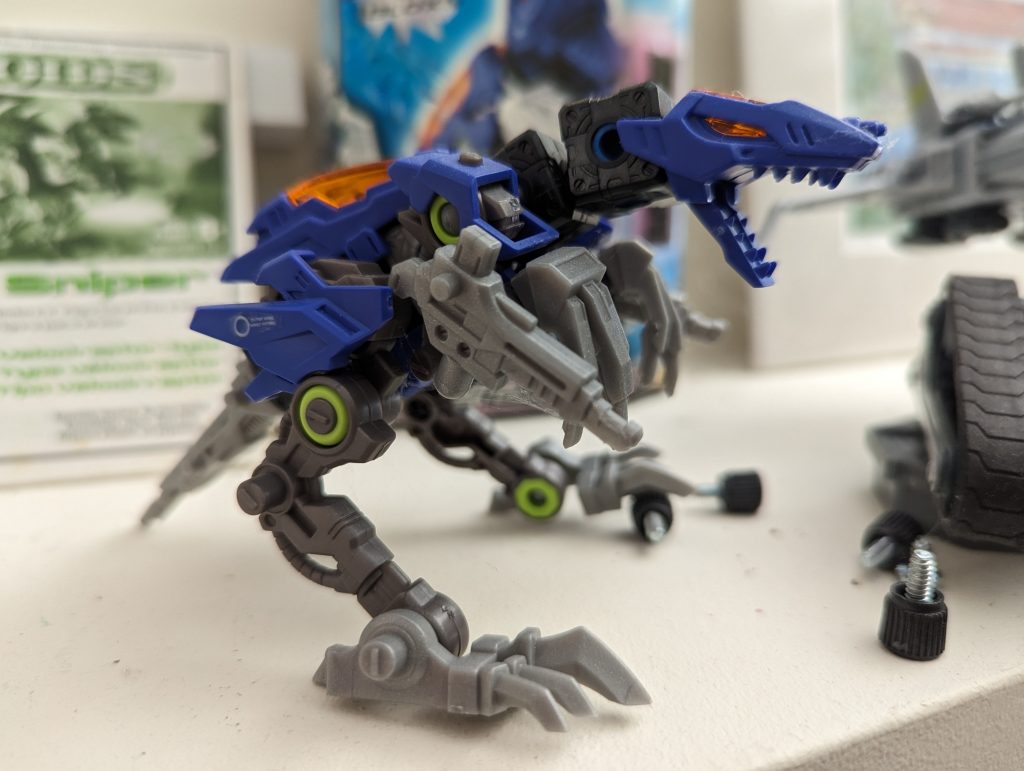
The model is somewhat poseable. It won’t really hold a pose that involves much weight because the rubber joints are rather weak. It’s possible that the decades since it was manufactured have taken a toll on the rubber. Still, robotic dinosaur: very cool. Timeless even.
Wonder how it’s supposed to reload that arm gun without opposable thumbs? Perhaps its teeth…
SnapShips
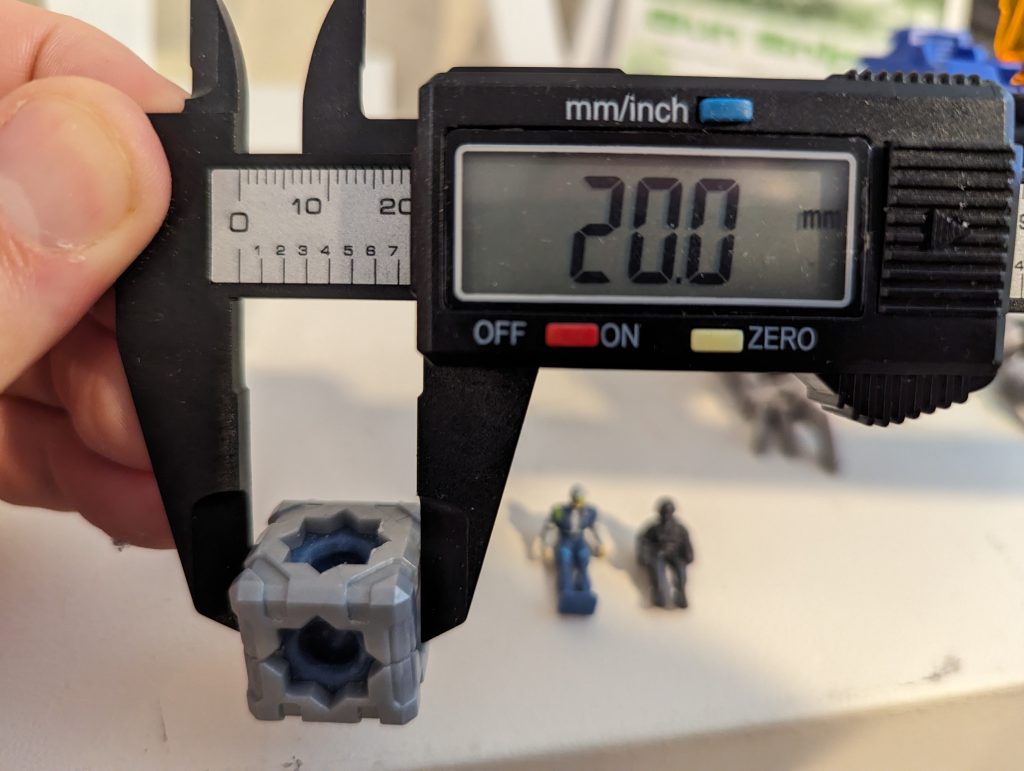
SnapShips cube elements are 20mm
The SnapShips have much more detailed, Lego style instructions but they aren’t really as needed if you want to build it like a puzzle. The blocks lock together so that rather than flexing, they hold a specific shape. The parts are all in bags – no sprues which is honestly kinda chaotic.
The SnapShips contain three alt-builds each, similar to what Lego does with its Creator theme. I built the forward-swept wing design rather than the front-of-box design.
SnapShips give you tons of rectangular greeble panels, but a cube is relatively large compared to the scale so all of the vehicles you make will turn out very blocky. There are relatively few specialized pieces besides the aforementioned panels. Between sets there’s a strong compatibility at least – there’s only two color schemes. You get prints instead of stickers too. I think the appeal may be limited for SnapShips though. Trying to make something sleek out of something so boxy is going to be a challenge with the part set available, and the boxes are so big compared to the features people will want to capture is going to make that rectilinear form stand out.
Something else to consider about SnapShips is that it’s got a full blown tabletop war game of all things associated with it. Apparently it’s quite similar to X Wing. 1/72 is sort of a huge scale for dogfighting, but some reviewers seem to love it.
So here is a strange question. I underestimated just how sharp exacto knives are while cleaning up the seams on my minis. Can i just use the plastic glue to seal it rather then keep changing bandaids each time it comes back open and bleeds again?
When I saw this, I realized I really did need to write this up. I cannot allow the public to remain uninformed any longer regarding glue!
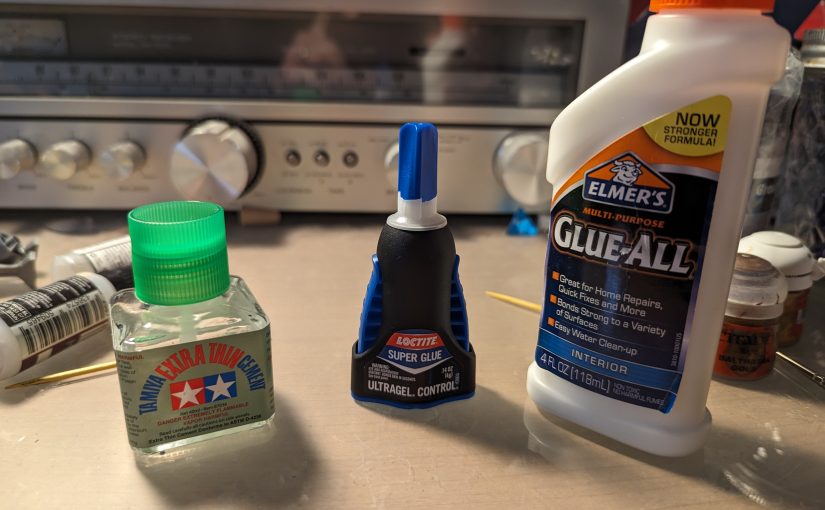
Plastic Cement
Also known as: Plastic Glue
This stuff smells like nail polish remover, and it’s no coincidence: they both use Acetone. The Acetone in plastic glue liquefies the plastic surfaces and when they re-harden, they’re very well stuck together. Cement is right; this stuff creates very strong bonds. The drawback is that it’s only good for specific plastics; the sort of polystyrene that you see in typical model kits, but it won’t work if you’re attaching a rock to a base or working with resin parts. It also won’t bind up your skin (otherwise nail polish remover would be far more dangerous. If you take nothing else from this article, take this:
You cannot close wounds with plastic cement!
If something is stuck on with plastic cement, your best bet for cutting it off.
SuperGlue
Now, I’m not a doctor, but I’m assured you can close a wound with superglue. It certainly sticks robustly to skin. Cyanoacrylate, the technical term for this type of glue will readily bond skin, so avoid using it without gloves. If you do, I recommend GoJo. CA glue will work with a variety of materials and form very strong bonds, but it has a few drawbacks: it’s finicky about setting. You get a few seconds to hold your bond steady (pressure is good) and then the glue is no good, you’ll need to try again after removing the now-spent glue. If you glue painted parts you need to make sure you don’t get glue anywhere visible, because it dries opaque. Its quick setting can be an asset though; you can pull off poses that would be slightly trickier for a longer setting glue. I hear you can freeze it off, but I haven’t had success with this myself.
PVA Glue
PVA glue, also known as School Glue, is also used in wood glues. It’s the least consequential of glues; you’re not going to poison yourself with it (unless, I imagine, you drink it) and if it sticks to your fingers you can can just wash it off, or rub your fingers together for a few seconds. It’s popular for basing because it’s thick, goopy, and easy to fix if you make a mistake; just add sand! You can even get it premixed with sand in the form of nice basing paste. It can be dissolved by soaking in water for a day or so and then scraping off with a toothpick.
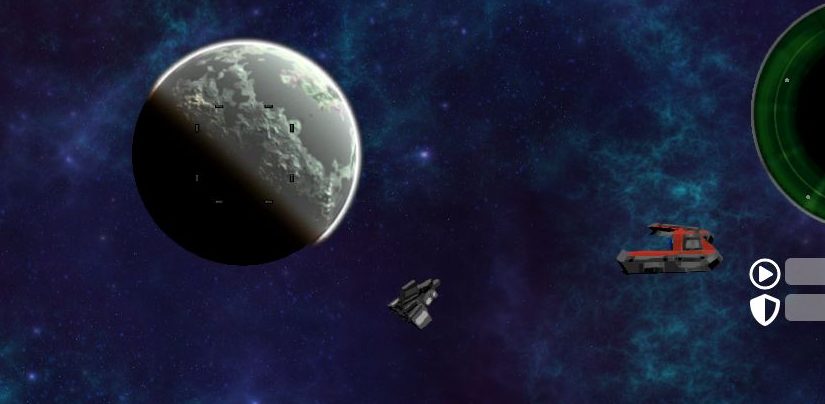
My vow to stop making EV-likes has had mixed results. Here, I’ll discuss some of the more interesting aspects of a recent EV-Like, Galactic Night.
Perspective on perspectives
While I did make a serious run at doing a vehicle game in Godot, it was hard to get around just how excellent the affordances of what I’d already built were, and what was lacking in Godot 3. But it didn’t start there. It started with an observation:
First Let’s Play google gives you for “EV Nova.” I haven’t listened to the whole thing, so I can’t vouch for it. But it’s got footage of the game.
Ships in EV Nova (and MPEVMVP, for that matter) are sprites rendered from 3d models. They are rendered with perspective so that when the front of a ship faces the screen, it appears larger than the back. It’s subtle on some ships, obvious on others.
Perspective camera isn’t the norm for sprite games. Most games with pre-rendered sprites use an isometric camera; here’s Starcraft as an example:
First result for broodwar gameplay. The Terran Siege Tanks are the best example of isometry.
For games where the units are in a rich world with lots of points of reference, rendering them in perspective might look wonky. Too much perspective might look wonky under any circumstances! However, the decision to use perspective in the sparse world of Nova lends the ships a sense of scale.
2.5d games that use a full 3d world instead of sprites tend to either use a perspective or isometric camera. It’s easy to implement either in Godot (and other engines) by changing the camera’s mode. But I was curious: could I implement something with a vertex shader that would deform a mesh such that it appeared to have perspective, even while rendered in an isometric view? Perspective, I should note, not truly relative to the camera, but relative to an imaginary camera ‘rendering’ the imaginary ‘sprite’?
This is difficult to convey with words, so I built a demo:
What’s interesting about this, at least to me, is how difficult it is to notice what’s going on. Your brain seems to happily accept the very unnatural perspective. At least mine does. But if you look closely, you can see that no matter where the spaceship (and thus actual iso camera) move, the spinning cubes maintain their fixed perspective, just like sprites in an old school video game.
Flying around was fun, I wanted to do more stuff. It got out of hand. It’s a whole game now.
More Ship Shader Fun
Using a 3d pipeline offered the possibility of using some nice 3d features, exploiting the fact that the textures and effects were in-engine rather than an external pipeline. Nova has engine glows and weapon glows; I implemented those too.
Nova also has an (unused) feature where you can stain your ship a different color. I wanted to try something similar, but nicer:
You can check out the full ship shader here. Note that in GD4 you can split shaders into multiple files, so the important parts are the perspective transform here, and the color swap logic here.
Union Bytes Painter allows for multiple texture layers, so it’s easy-ish to make separate textures for lights, engines, weapons, paint, and a base. It’s a little clunky for exporting though – I need to show/hide layers and export a few times. Still miles better than the Blender workflow I used while working on Flythrough.Space.
Flat Space
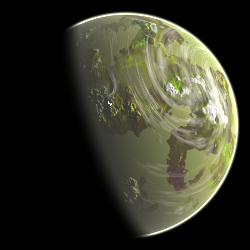
I wanted to create a nice set of planets and nail the EV Nova look, so I followed tradition and picked up the venerable LunarCell, which was also used to render the planets for EV Nova. This creates (gorgeous) 2d planet sprites:
Only problem? Lunar Cell doesn’t create masks, just planets on a black background. Solution? This remarkably simple shader:
You’ll notice though that that’s a 2d shader, and the game is 3d. That’s the neat part – the background is a 2d canvas! We use this class to make sure the sprite in 2d space tracks the correct position in 2.5d space:
The background itself is basically the same shader I used in Survive Spacebut with additional special effects you can cue up to make hyperspace more exciting:
I wanted to visually represent folding space, and the looped background made for a unique opportunity to do it. The shader is of course just dropping specific images (Screaming Brain’s awesome Nebula backgrounds) on a couple of layers, but it would look better looped if I did something with Perlin noise.
Procedural Generation
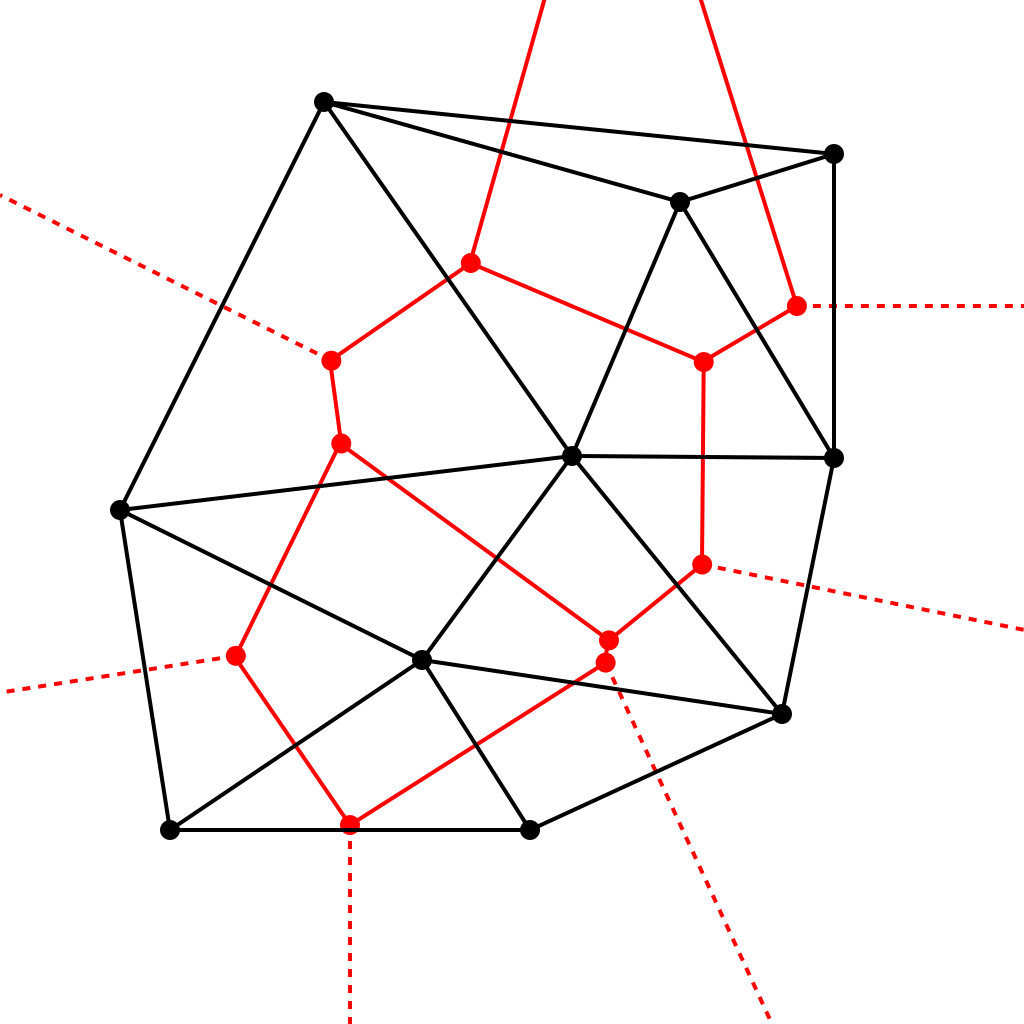
Flythrough.Space used a handmade universe I originally drew on graph paper. While charming, that took a whole lot of work for very little gain at the end of the day. For MPEVMVP I used universe maps generated by Mag Steel Glass’s spreadsheet. Which is fine by all accounts, but I wanted the player to be able to generate new universes on the fly. That’s where I ran into my new best friend: Delauny Triangulation.
Ok, you need to look a bit closely, but in both cases, you’ve got a point cloud that is stitched up by non-overlapping lines. So to generate an EV map, because there’s a library function for that all you need to do is feed it a set of points and get your EV map’s hyperlanes!
That same strategy carried over to Galactic Night, with some modifications, namely the division of space into quadrants to provide a difficulty curve, and the separation of growing biomes from growing faction influence. In Valheim, the game I imitated most on Survive Space, all three are effectively the same; a biome is a difficulty level is a spawn location for various monsters. In Galactic Night, spawns can depend on biome (for asteroid types) faction (for where to spawn enemies or allies) and quadrant (more difficult NPCs.)
Codex
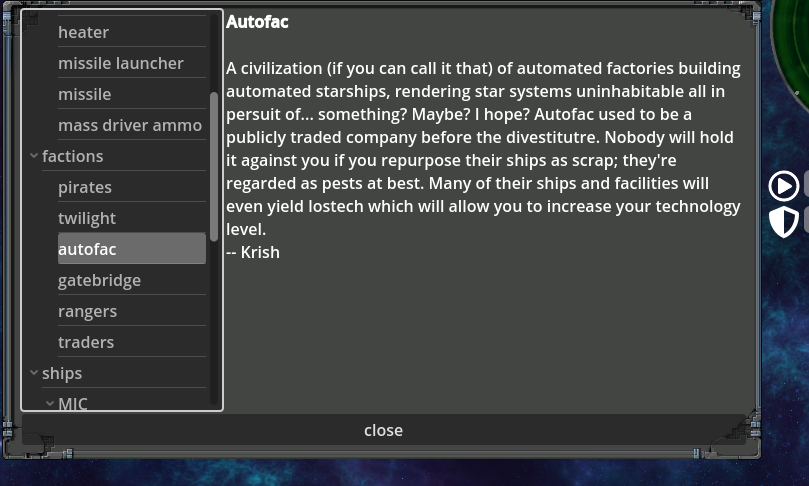
The codex window loads up a folder tree of bbcode (weirdly, Godot’s rich text boxes support this) files and displays them. Item fluff that would usually be embedded in the interface in an EV goes here, a much more conventional placement for a modern game. I never did get around to writing a system for unlocking entries.
Retrospective
I’m proud of the technology and writing that went into Galactic Night, and some of it will certainly be recycled for future projects. I’d be happy if people get any use out of the code or design concepts tested out. I’ll close out with some final thoughts on how the project went.
I think the perspective looked really good, but some people definitely found it jarring. In future projects, it should definitely be an optional feature.
Doing the textures in Union Bytes painter became a slog. Small UI issues compounded over the course of several objects, and it stopped being fun.
Upgrading from GD3 to GD4 mid project was a big hiccup, but ultimately worth it because the syntax of GDscript is far nicer.
Though the procedural universe was really fun to tweak and play with, I don’t think it provided enough stuff for an exploration focused game. Games like Minecraft and Valheim exploit the inherent human desire to play around in a virtual space, and an EV map doesn’t really provide that; in a game like this the contours of the explored world are unique spaceships you find, well written place descriptions, missions, graphics, and the like. I never found a way to work in that level of diversity. Also, I never found an effective way to hint to players that, for example, getting lostech will allow them to increase their tech level and make more options available. Sure, it’s there in the manual, but who’s gonna read that! The upshot was that it felt like a big empty map with nothing particularly interesting going on in it, and no motivation to strike out and try to do stuff. Oh well.
First, an apology. If I’d known I was going to write this up, I would have taken pictures of the minis and the lead test results. Lacking that, you’ll just have to trust that I read the test strips correctly. I encourage anyone to test any minis they’re concerned about, and don’t file or sand metal minis around kids.
Random weird knock off space marines of questionable origin: Lead
I tossed them, but they weren’t anything I’ve seen before or since. They resembled space marines but had vertical slats for face plates and resembled robots. May have been garage minis. Really kicking myself for not taking a picture.
It’s no secret that I’ve been captivated by trying to make vehicle driving feel good for as long as I’ve been programming. Initially Hovertank 22 (formerly OWTD) used Kinematic movement as described here. But it wasn’t quite right. I have a strong memory of how much more fun World Of Tanks was after they introduced proper physics. I decided that if a third person perspective (as oppose to top down) was going to be used, I should probably use some sort of physics.
As you can see, though wonky, the Tilter is able to navigate the terrain. It’s using a single visible steering wheel in front and the tracks are represented by two invisible wheels in the back. This movement model is, of course, built for car driving games, so the trike configuration cuts into the stability badly. The requirements of “Eamonn’s Ideal Vehicle Game” and thus Hovertank 22, however, call for tanks. Unfortunately, this has major disagreements with the movement model.
The basic idea, I figured, for implementing tank movement has been to treat each track as a series of wheels. To turn right, you drive the wheels on the left side and brake or reverse the wheels on the right side. In a real tracked vehicle, this causes it to turn. In Godot’s model, however, wheel slip seems to be very all-or-nothing: the vehicle stays in motion nicely but as soon as you cut the wheel and one track slips, the whole vehicle starts to drift uncontrollably. While some amount of drifting was desired, this turns out to be unplayable. And, worse, messing with wheel slip values didn’t really help.
Editor screenshot showing how the Cobra’s wheels are configured
Another problem with this movement style was that when the vehicle was in motion, differential steering worked far more effectively than from a dead stop (I assume that this has something to do with how overcoming friction is coded.) In order to turn from a stop you need to overcome the friction of all of the wheels, so turning while stopped was impractically slow. I implemented a fix which increased power when you weren’t moving but it was unsatisfactory and resulted in a vehicle that jerked around suddenly and violently.
I suspect that customizing the 6dof version might be able to overcome these limitations, but I don’t have the bandwidth to try it. Similarly, it might be very possible to implement this sort of thing as a custom integrator and bunch of rays, but again, that was more of a lift than I had time for.
Faced with basically a negative result from this experiment, I’ve decided that I’m going to roll back (ha) from the VehicleBody approach. I may switch back to a top-down perspective, and also may try switching out heighmapped terrain for tile terrain.
So what did I learn from this little excursion? You really need to validate your assumptions about how something is going to behave before you stake a project on it. I’m glad I didn’t fully do that (I still have a path forward for Hovertank ’22), though pulling it out is definitely going to be a setback.
EV Nova was a formative game for me. One thing I noticed about it, and wanted to document, was that there are a lot of what I’ll call name collisions: names that are almost the same but refer to different things. Did I miss any? Leave a comment, I’ll add it.
Temmin Shard / Shard (faction)
LPAD station, where Temmin Shard takes you
Temmin Shard is a character in a side quest. However, “Shard” is also used to describe a faction formed when you win the Fed campaign and everyone else comes after you.
Krane / Kane (incl. Port Kane, Kania, and the Kane band)
Port Kane
Earth, with Kane band, but also a place where you might encounter Krane
Omata Kane invented galaxy-spanning hypergates and a bunch of things are named Kane in her honor, including earth’s artificial ring, the Kane Band. There’s also a Port Kane in the Kania system. Krane is the sociopath leader of the secret fed faction that you work for in some campaigns. Very different people.
Glimmer / Gli-Tech / Gli-Tech-Nia
Home of the GLi-Tech corporation (formerly known as GLiMMER until the discovery of the Glimmer system)…
Both are companies that make missiles. Huh? Gli Tech also owns an entire planet, called Gli-Tech-Nia. But wait, Glimmer is also the name of a star system. Surely this piece of fluff for Gli-Tech-Nia clears it up:
Associated Guild Of Free Traders / Free Traders
Pirate carrier used by both
Two opposing pirate factions that fly the same ships. One is hostile by default, the other isn’t. No idea which one though; and feds don’t care which one you blow up either. According to Word Of Atmos this is intentional.
Polaris / Polaron Cannon / Polaron Torpedo
Polaris are one of the game’s major factions. Polaron refers to a Federation weapon. But the weapon is pink… the color of Polaris technology. And the Polaris have a Polaron Torpedo which is pink but apparently unrelated. Maybe Polaron refers to some specific scifi gubbin, but then that’s still colliding with the Polaris.
Vella / Vell-os
Vell-os are a race of psychic transhumans and mostly extinct, Vella are a neighboring Arouran subfaction.
Wraiths / Wraith Cannon / Wrathii
A wraith
Wrathii fired from a Wraith cannon (no relation)
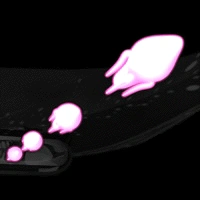
Wraiths are a race of sentient space-monsters, Wrathii are pink projectiles that the Polaris fire out of a Wraith Cannon. Also the Wraiths are right next to the Polaris.
TOWCB / TCTLIDS
The Ones Who Came Before are your standard ancient race of aliens trope, TCTLIDS are The Creature That Lives In Deep Space harvested for drugs, an abandoned plot hook that somehow remained in the timeline preamble.
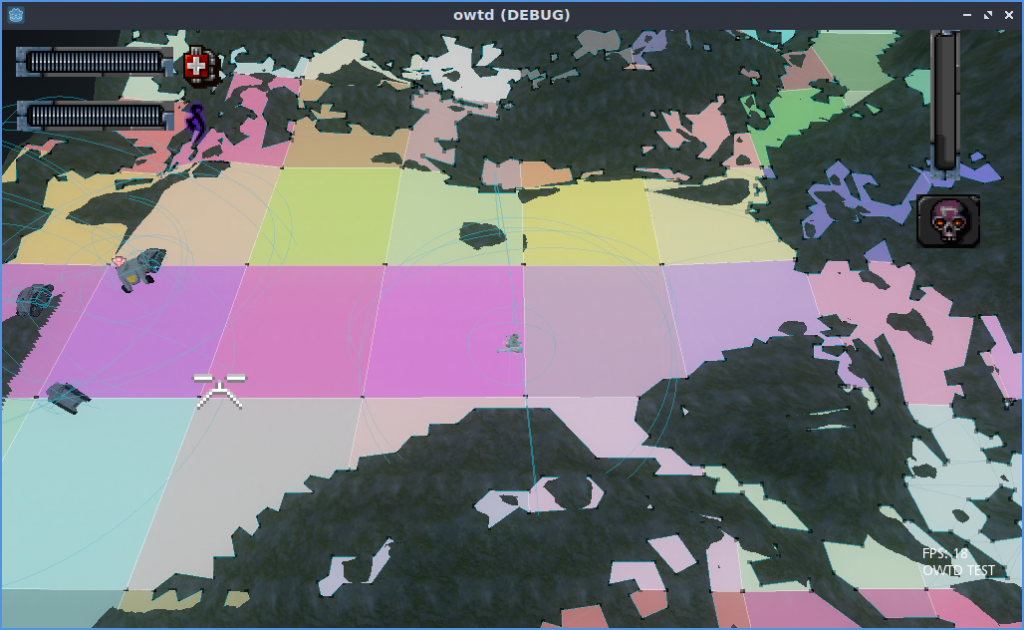
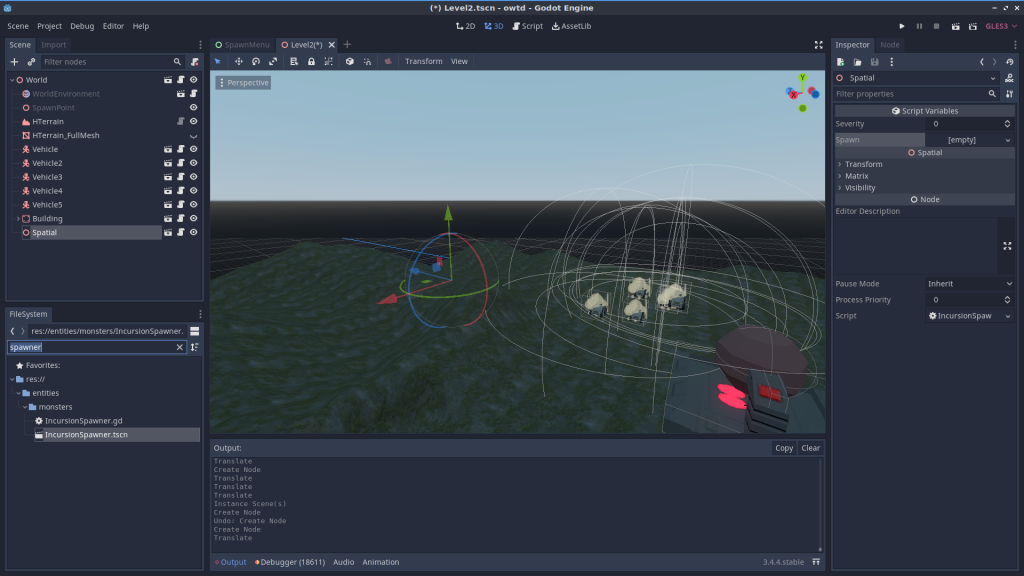
Hovertank is an honest attempt to bet big open 3d environments with AI agents running around working in Godot, using HTerrain and Godot Detour. I hope this is helpful for anyone who wants to make something similar in the future.
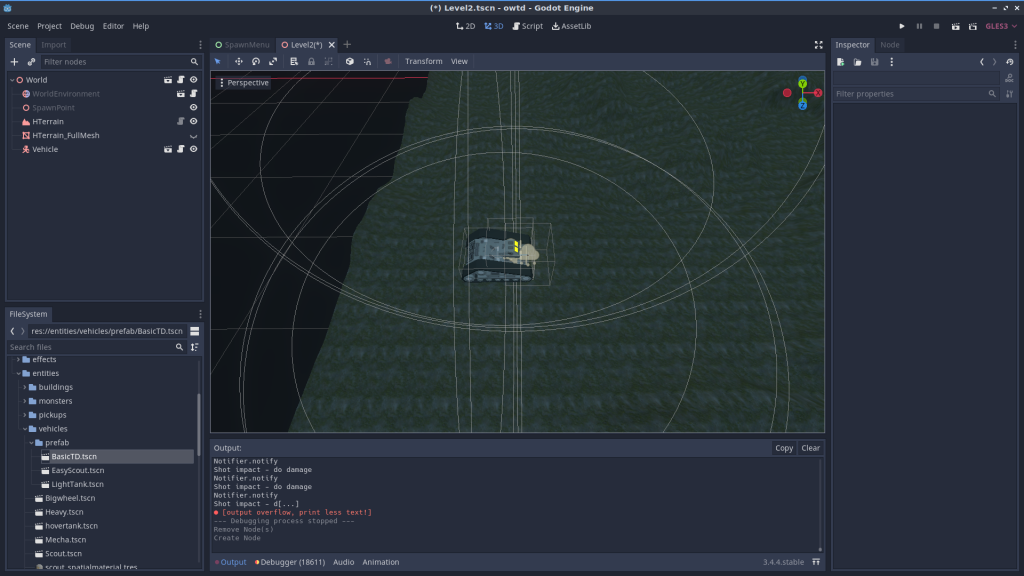
Create a new inherited scene from the “world” scene.
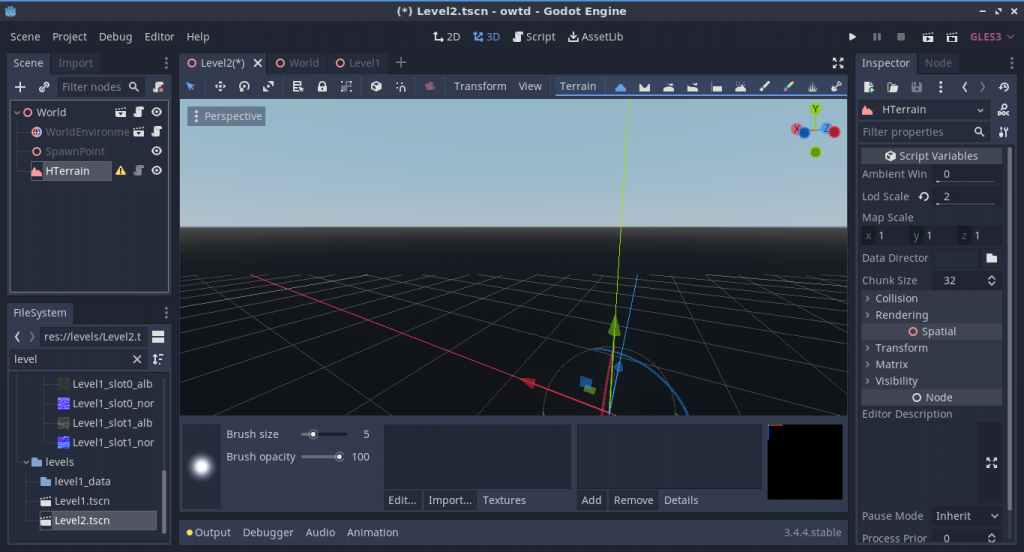
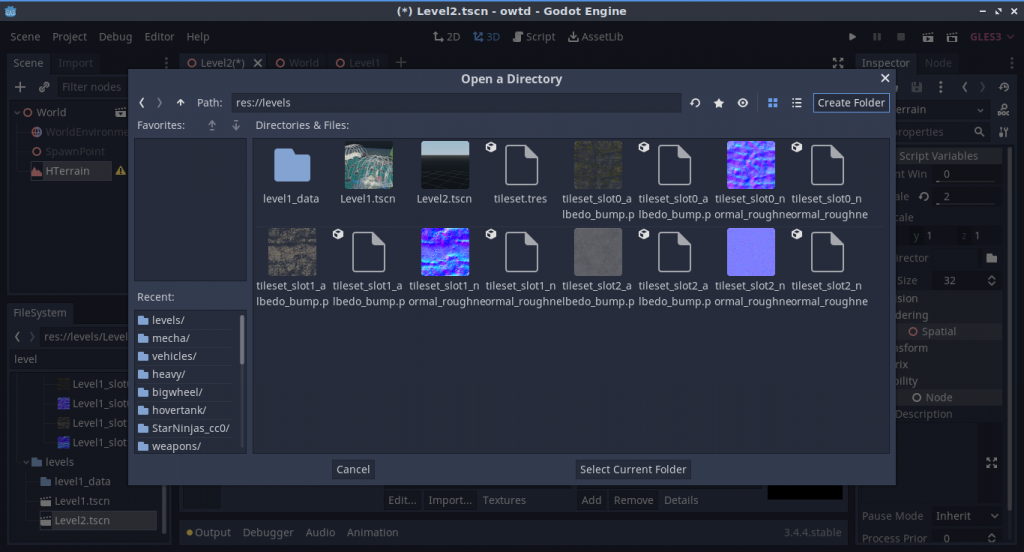
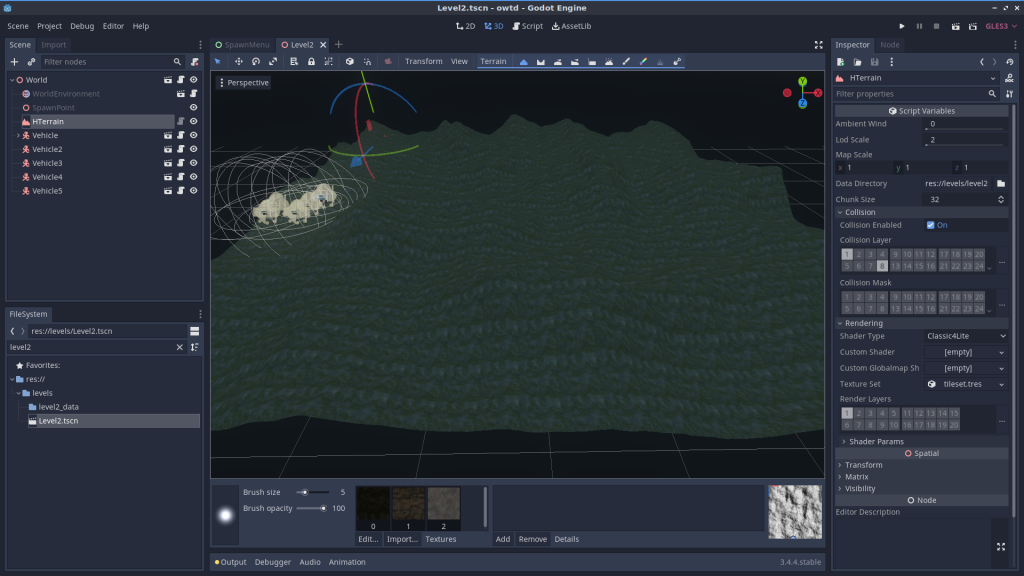
Add an HTerrain element to your level. Make sure it’s collision layers are 1 and 8.
Create a data directory in the levels folder
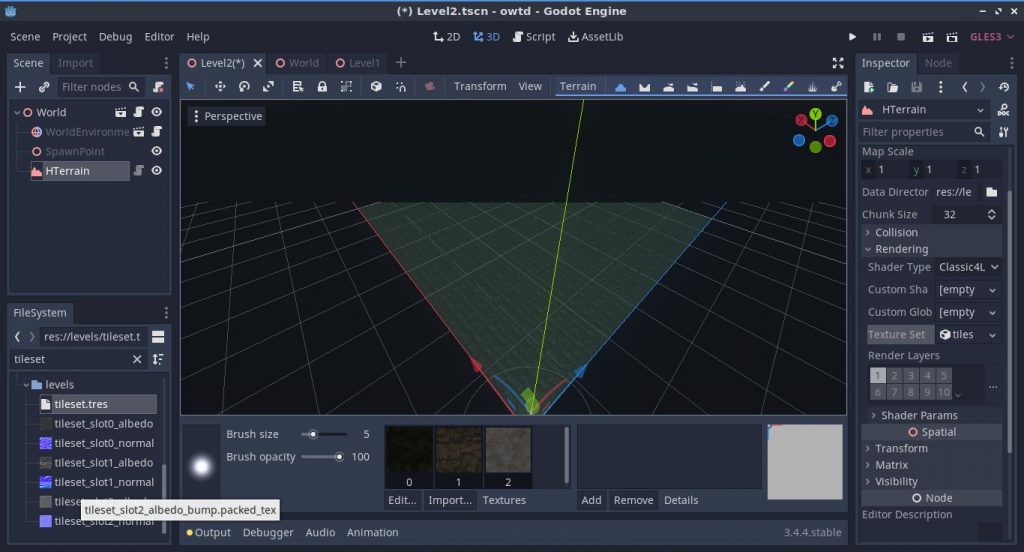
Apply a tileset to your HTerrain by dragging tileset.tres into the texture set slot, or making a new one from scratch.
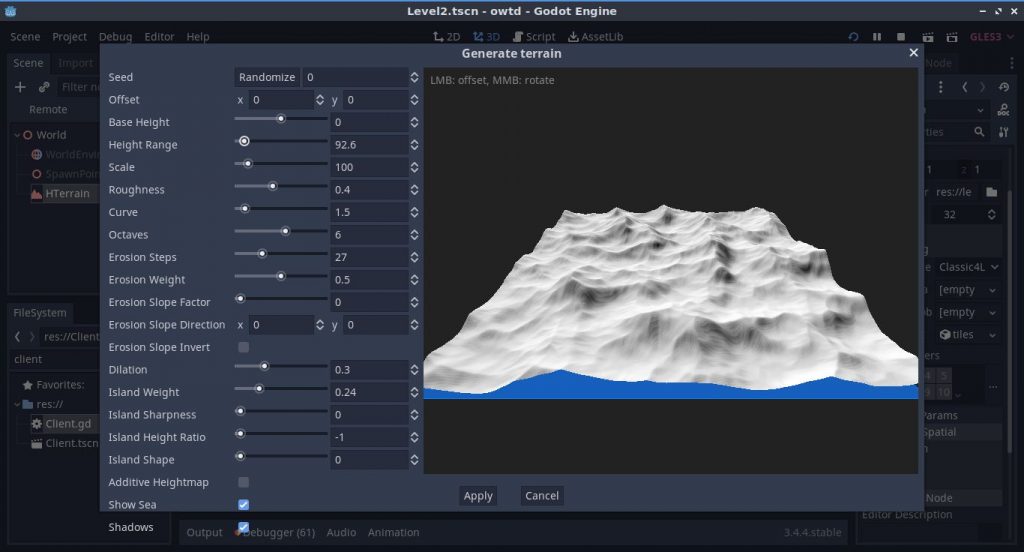
Edit the terrain to your heart’s content using the generator and the tools.
Bake navmesh
You’ll need to repeat the next steps each time you edit the terrain mesh
From the “Terrain” menu up top, select “Generate mesh (heavy)” and select an LOD of 4. At least that’s what I’ve been using.
It will create a node called “HTerrain_fullmesh.” This is the node that the pathfinding library uses to actually determine where AIs can go. Hide this mesh; if you need to see the navmesh turn on “visible collision shapes” and you’ll see it (and it may lag real bad!)
Note that the flattened areas have nice clean navigation, but the more sloped areas don’t. You can use the flatten tool to cut paths across the map. Make sure you enable “pick” on it, it’s much nicer that way.
Place Entities
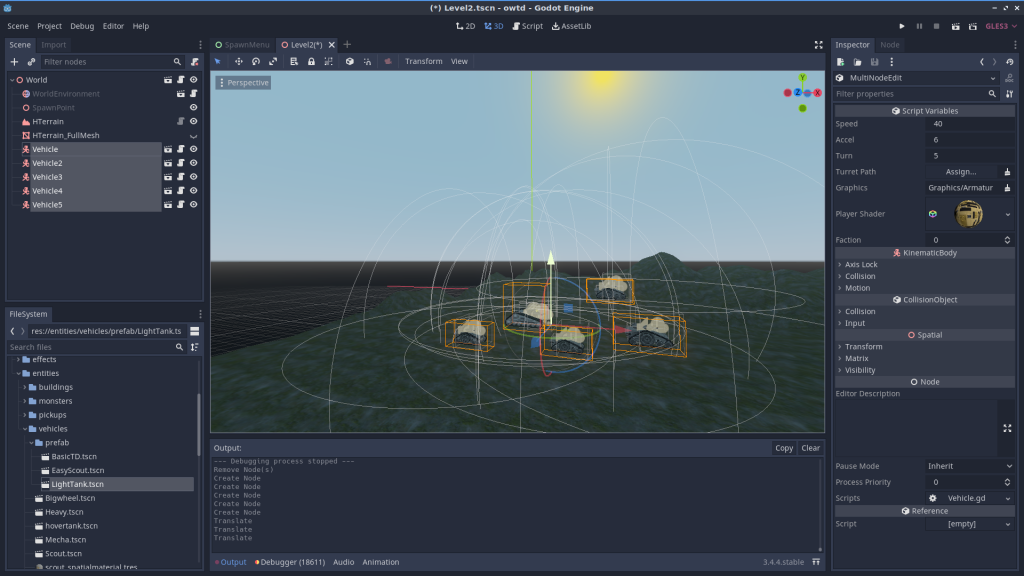
The prefabs folder has enemies with preconfigured weapons you can just drop right into the scene. You’ll want to drag them a bit closer to the ground though.
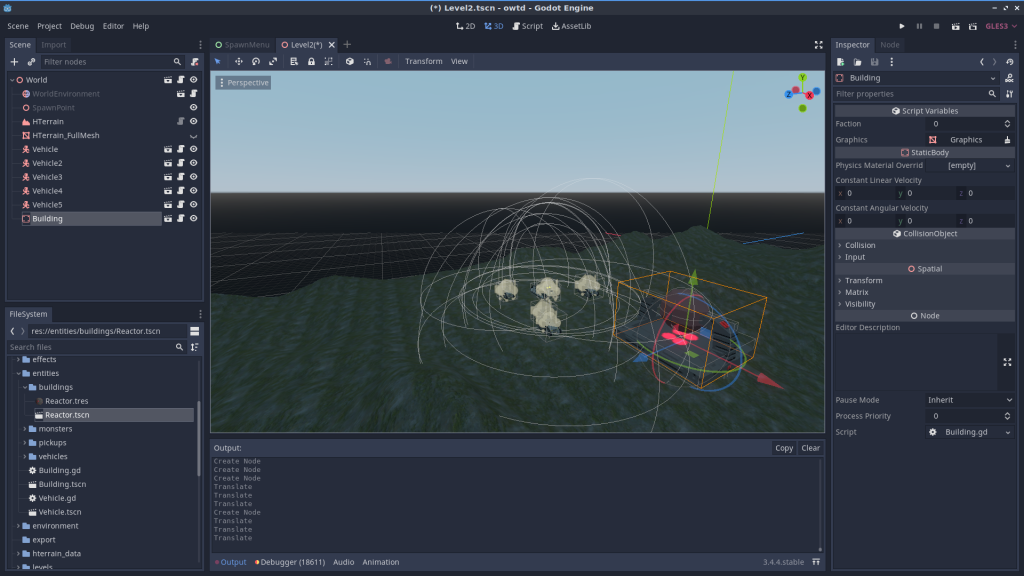
You can also place buildings this way. Careful not to accidentally parent stuff to random entities you’ve already placed – entities in Hovertank expect to be parented to the world.
You can set up objectives by adding the “ObjectiveMarker” component to an entity.
When all of the entities with objective markers are destroyed, the player has won the level. You can add the objective marker to any enemy or building.
The incursion spawner will spawn the entity you provide in “spawn” whenever there’s an incursion with the selected severity. Put one of the monsters in there by dragging its tscn file in to the spawn field (only monster at time of writing is our friend Kochab) (Incursions were removed, but you can see how it worked in older commits — Ed)
Add your level to the list
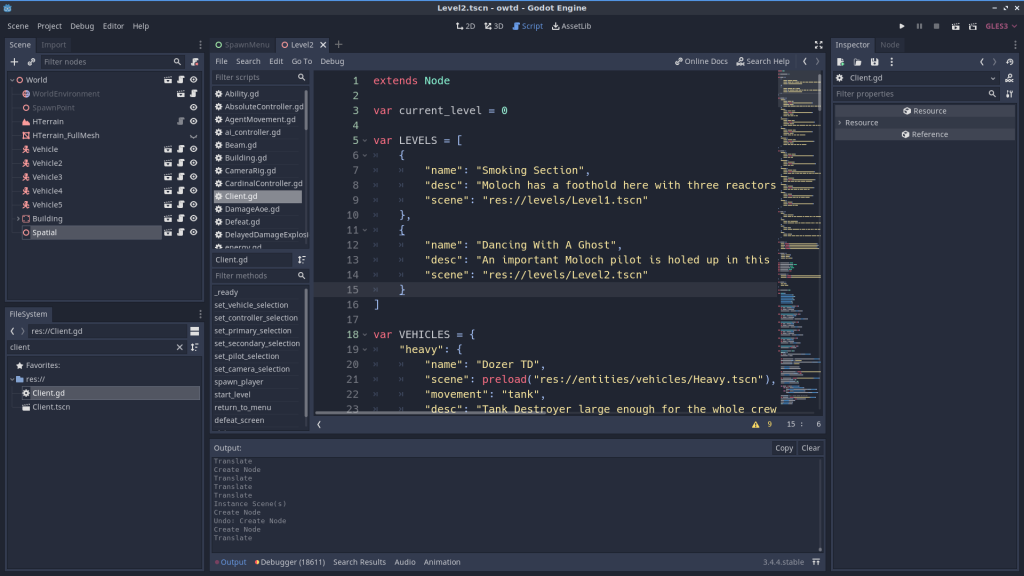
Add an entry to the big literal with all of the levels pointing to your level’s TSCN file, give it a name and a description, and it should show up in the dropdown in the main menu.
Godot’s High Level Networking tutorial (and book chapter) do a great job of explaining a peer-to-peer networking setup. However, many games want to be server-authoritative, and to set up a multi-area game, you sort of need to. Luckily, you can use the same primitives to build a server/client game. This is just sort of a brain dump of my notes that may be helpful in navigating the MPEVMVP source. Feel free to post any questions you have about it; I love to talk about this stuff.
The technical requirements that deviate from the basic tutorial they hand out are as follows:
Server-authoritative client/server game
Multiple levels that players can switch between
Players are able to join a match in progress
In case you haven’t tried it, the project is here: https://github.com/eamonnmr/mpevmvp. The gameplay is similar to Asteroids (and, well, similar to Flythrough.Space): it uses RigidBodies to simulate movement, you can shoot other players to force them to respawn, and you can press “J” to initiate a hyperjump after you’ve pressed “m” to select a star system from the map.
Godot’s Networking Golden Rule
A remote call (rpc, rset) is going to be called on the remote node with the same node path. That includes name of the node, the name of the parent, etc, all the way to the root node. You can set a child node’s name with set_name but if a similarly named child already exists, an @number will be added to your node. This is a major source of bugs for networked projects, so be careful. You cannot set a node to a name with @ in it. So in effect, you cannot use Godot’s auto-incremented names (since they append @increment) to sync between the client and the server. For this reason, I used a uuid library for generating node names.
The need for the same structure on client and server despite the fact that the server held a whole universe while the client only cared about one system is a major source of complexity in the codebase.
Server Authoritative
I implemented the Client and Server as singletons that exist on both sides. The reason for this is that it makes it really readable; when the client needs to send something to the server you write Server.rpc and when the server needs to send something to the client, you use Client.rpc. Besides this line of communication, I’ve used rpc and rset within various nodes to update and alter the client versions of themselves. This always happens inside an is_network_master block, to ensure that it’s being called on the server version of the game.
The one thing we do need to gather from clients is input, and for that each client has a PlayerInput node, network_master’d to them. They rset_id input up to the server. The server copy of the player nodes looks at this remote copy of the player_input to determine it’s behavior, then pushes its state back down to all clients.
Multi Level
Suppose you want to have multiple different levels/worlds/rooms in your game. The trick is that you need to mesh the following two constraints:
Node paths need to be the same between client and server (see discussion above)
The server needs to have different node paths for each level
The trick, then, is to send the client to the new level by loading the appropriate level and making sure it’s named appropriately. There’s one wrinkle though: different 2d physics worlds need to use a Viewport class, but you don’t want to add additional viewports on the client for performance reasons (tried it, it was way too slow.) My solution was to add an extra layer of nodes called “universes” in the comments which are a Node2d on the client but a Viewport in the server. They are managed on the server by ServerMultiverse and on the client by ClientUniverse. Client Universe cares about a single “universe” child whereas ServerMultiverse handles multiple children.
Sending Entities/Switching Levels
In order to join a match in progress or switch to a level that already has stuff in it (or, indeed, switch a player into a level) we need a robust way for the server to move fully-formed nodes to the client. Godot does not provide a generic “send this node” method, so we need to write one for ourselves. The approach I took was:
Assume that the ent will be instanced from the same scene that the ent on the server is
Write a “serialize” and “deserialize” method that allows it to dump a dictionary with all of its important state and recreate itself from that dictionary.
Make sure the node on the client side is assigned the same name as the one on the server side.
So when a client’s level is switched, they dump the current level and recreate the new one by loading in the scene and then, node by node, deserializing the state sent from the server. As it turns out, this means that any state can be synced freely, and it enables us to dispense with the lobby entirely and let players join and leave at will.
Sync In Multiple Levels
Each level owns the process of syncing its state to clients in that level. Scenes within the level can declare a method that serializes their state for a net frame, and the level gathers all of those up and sends them. The client receives the frames from the server, and the individual scenes use the content of those frames to interpolate their position. To save bandwidth, I only do this for ships and guided projectiles, everything else moves deterministically. This whole process is derived from the teaching of (and better described by) this video.
Player Lifecycle
Because we’re using the player’s presence in a level to determine if we should update entities in that level for that player, when a player’s avatar is destroyed the world seems to stop for that player until they respawn. This might be desirable in some games, but I think most games at least want to show the player the immediate seconds after their own demise. So what we do is replace the player with a ghost.
Tooling & Workflow
GDScript is based on Python 3 and the most basic syntax resembles it. ‘func’ in place of ‘def’, no ‘self’ and no list or dict comprehensions or other advanced features. It feels like the python of basic python tutorials. However in exchange for this, you get one thing python 3 does not offer: true static typing. In Python 3 you can offer a type hint for a function argument but it is not truly enforced. GDscript enforces the types at compile time and boy does it ever catch a lot of bugs. You also get the ability to define classes with typed members, similar to what you get in Python with Pydantic. Overall I like gdscript and the things I miss aren’t dealbreakers.
The lack of a vi mode for the editor hurts. I know I could just use the godot plugin for vi, but I actually really like staying inside Godot’s editor. Despite the slightly crowded layout, it’s really very nice. The autocomplete to node paths is a killer feature that makes dealing with complicated trees less of a pain.
Conclusion
Building a multiplayer game in Godot is possible but by no means easy. The high level multiplayer API despite its gotchas works well, but you need to implement the sync logic yourself. This shouldn’t be too surprising as games have very different needs when it comes to net code. I hear that a similar mechanism for frame based sync and lerping is going to be more built-in in godot 4, which would be sweet. The puppet system (which I initially used; you can see a version in the tutorial) seems to be useful only for very low latency situations, so I regret that it’s a first-class feature because it may lead people down a rabbit hole of net code that will not work for most games.